

By: Ryan Johnson

Microsoft Teams recently changed the default view for your teams to a grid view. You can change your view by clicking on three dots next to “Join or Create a team”.
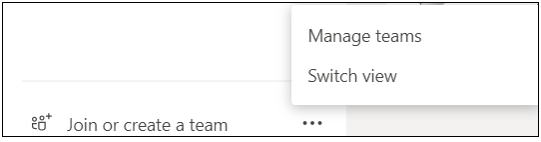
Note: this option can appear in the bottom left or top right of the Teams application based on your view.
Click on Switch View and a new window will appear:
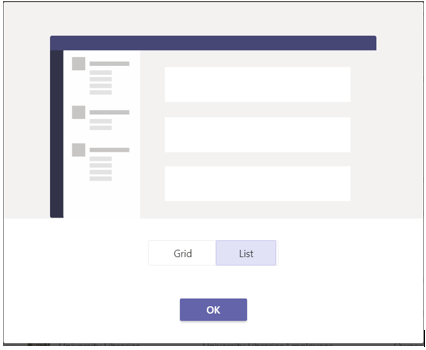
Select Grid or List to change your view.